Prepress software vs RIP software
They sit next to each other in every large-format shop and they own different decisions. Prepress builds the file — layout on the media, bleed, register marks, named spot plates and layered cut paths. The RIP takes that file and drives the printer. Here is the split, and where the handover happens.
7-day trial code, then £99/month per user or £990/year. Artwork is processed in your browser — we never store your files.
What it does on the shop floor
Prepress owns the layout
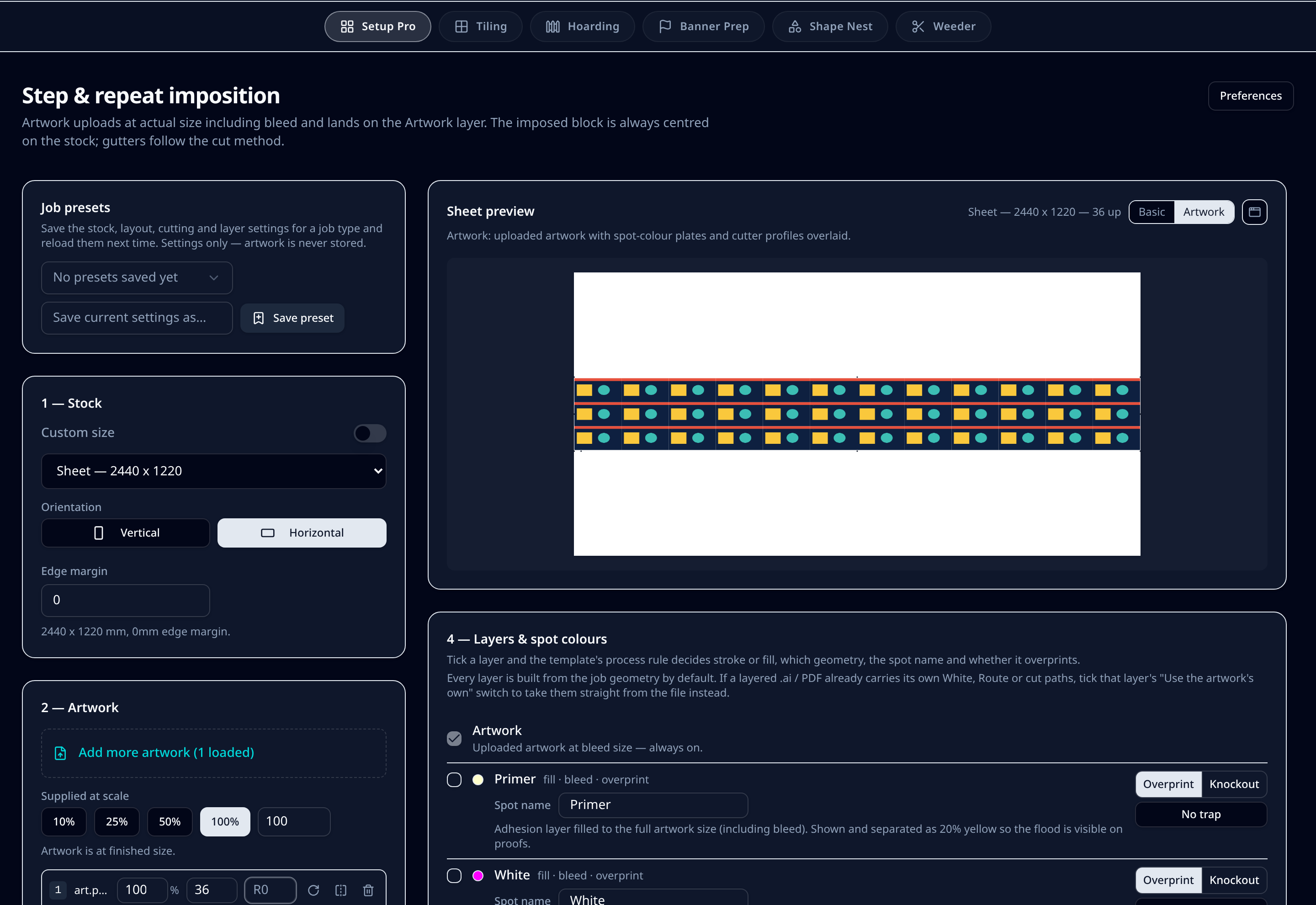
Where artwork sits on the sheet or roll, centred with even margins, bleed overhang, cut-method gutters, register dots and piece labels in the gutter rather than over the artwork.
Prepress owns the spot plates
White, varnish and primer at artwork size with overprint, knockout and choke, plus editable names — so the RIP receives plates it recognises instead of a 20% black stand-in.
Prepress owns the cut file
Thru-cut, kiss-cut, crease, drill and route on separate top-level layers in a native .ai, with register presets for Zünd, Mimaki, Summa and others.
The RIP owns the press
Media profiles, ink limits, screening, device colour conversion, queueing and how much ink actually lands on the substrate. None of that moves out of the RIP.
Colour management crosses the line
Prepress embeds an OutputIntent — Adobe RGB 1998 and FOGRA39 by default, or your uploaded .icc — so the RIP knows the intent the file was built to before it applies the media profile.
Doing prepress first saves re-ripping
Layout and cut amendments happen before the file reaches the RIP, so a change to quantity or gutter does not mean re-ripping the whole sheet.
Step by step
- 1Upload artwork at actual size with its bleed.
- 2Impose or nest on your sheet or roll with the tool-driven gutters.
- 3Add the named spot plates and cut layers the job needs.
- 4Send the proof PDF for approval.
- 5Print PDF goes to your RIP, layered cutter .ai goes to the table.
Defaults & tolerances
- Prepress decides
- Layout, bleed, gutters, register marks, spot plates, cut layers, proof
- RIP decides
- Screening, ink limits, media profile, device colour, queueing
- Handover file
- Print PDF with OutputIntent — plus layered .ai for the cutter
- Order of work
- Prepress, proof approval, then RIP
- Replaces the RIP?
- No — PSD Pro Suite is prepress only
- Replaces Illustrator prep?
- Yes, for imposition, nesting, spot plates and cut files
Questions printers ask
What is the difference between prepress software and a RIP?
Prepress software prepares the artwork: layout on the sheet or roll, bleed, register marks, named spot plates such as White and varnish, and the layered cut file for the cutter. A RIP takes that finished file and turns it into printer data — colour conversion, screening, ink limits, media profiles and queueing on the machine. Prepress decides what gets printed and cut; the RIP decides how the ink lands.
Does my RIP not already do imposition and nesting?
Most large-format RIPs do simple tiling and rectangular nesting of whole jobs. They do not usually give you cut-method gutters, bleed overhang, named spot plates at artwork size, true-shape nesting of cut letters, or a layered cutter file with thru-cut, kiss-cut, crease and drill kept separate. That is prepress work, and doing it before the RIP means the RIP just prints what you approved.
Do I still need my RIP if I use PSD Pro Suite?
Yes. PSD Pro Suite is prepress only — it outputs a print PDF, a layered cutter .ai and a proof. Your RIP still drives the printer and owns media profiles, ink limits and queueing.
Where does colour management sit?
Prepress embeds intent: Adobe RGB 1998 and FOGRA39 defaults, your own .icc profiles, and an OutputIntent in the exported PDF so the RIP knows what the file was built to. Final device conversion stays with the RIP and its media profile.
Where does the cutter fit in?
The cutter is fed by prepress, not by the RIP. The layered .ai export keeps each tool on its own top-level layer with register dot presets for the common flatbeds, so cutting software does not merge the layers into one path.
Which comes first in the workflow?
Prepress, then RIP. Impose or nest, generate the spot plates and cut layers, get the proof approved, then send the print file to the RIP and the cutter file to the table.