Site hoarding graphics, split and numbered for the fitters
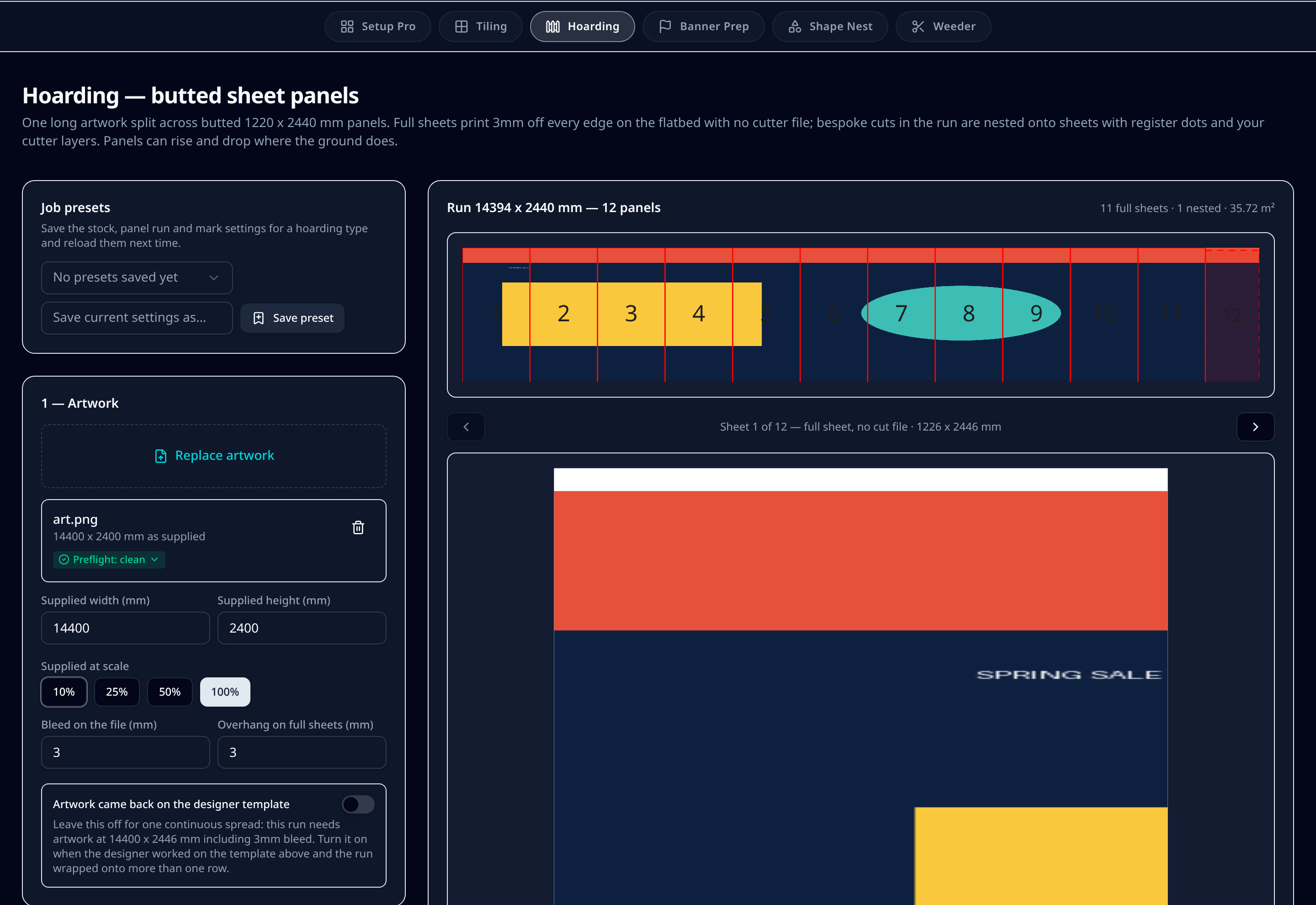
One long artwork goes in and a numbered run of butted panels comes out. Full sheets print 3mm off every edge with no cutter file; bespoke widths and cut shapes nest onto sheets with register dots and your cutter layers. Panels rise and drop cumulatively where the ground does.
7-day trial code, then £99/month per user or £990/year. Artwork is processed in your browser — we never store your files.
What it does on the shop floor
Butted panels, no seams to fudge
Panels butt at the sheet edge with a 3mm overhang on full sheets, so the artwork runs through the join without a visible gap or double image.
Cumulative rise and drop
Set a rise or drop per panel and it accumulates along the run, following the ground level on site rather than stepping back to zero.
Full sheets skip the cutter
Panels that fill a whole sheet print bled off the flatbed with no cutter file at all. Only bespoke widths and shaped panels get register dots and cut layers.
Numbered for the fit
Every panel is numbered and labelled with its size, so the crew hangs them in order without measuring on site.
Survey data straight in
Panel runs can be built from a spreadsheet of surveyed widths and heights, including header and kicker guides.
Long runs in one file set
Runs up to about 57m are written as native large-canvas .ai artwork at 10% scale, with multi-sheet exports zipped.
Step by step
- 1Upload the hoarding artwork at actual size with 3mm bleed, or work from your surveyed panel spreadsheet.
- 2Set the sheet size, panel widths and any rise or drop per panel — steps accumulate along the run.
- 3Let the module split the run into full sheets and bespoke panels, then check the numbered overview.
- 4Nest the bespoke cuts onto sheets, with register dots and your cutter layers applied only where a cut file is needed.
- 5Add header and kicker guides if the hoarding has a rail or plinth to work around.
- 6Download the print files, the layered cutter files and a proof for sign-off.
Defaults & tolerances
- Default panel
- 1220 x 2440 mm sheet
- Full sheet overhang
- 3mm off every edge
- Artwork bleed expected
- 3mm at actual size
- Register dots
- 6mm on nested cut panels only
- Maximum run
- About 57.7m at 10% canvas scale
- Exports
- Print PDF, layered cutter .ai, proof PDF, zipped for multi-sheet
Questions printers ask
Why do full sheets have no cutter file?
A panel that fills the whole sheet is trimmed by the sheet edge itself, so it prints 3mm off every edge on the flatbed and needs no cutting path. Only bespoke widths or shaped panels get register dots and cut layers.
How does the rise and drop work?
Each step is applied cumulatively, so a run that climbs 40mm per panel keeps climbing along its length instead of resetting. That matches ground level on a sloping site.
Can I use a designer's template artwork?
Yes. If the artwork came back on the panel template you issued, switch that option on and the run is read as laid out rather than treated as one continuous spread.
What about very long runs?
Long runs are written as native large-canvas Illustrator artwork at 10% scale so they stay inside the format's limits, covering runs up to roughly 57m, and multi-sheet output is zipped.
Keep reading
Splitting hoarding across sheets
Where the joins land, and how butted panels avoid double images.
Read more