Tiling wall graphics and billboards into drops that actually line up
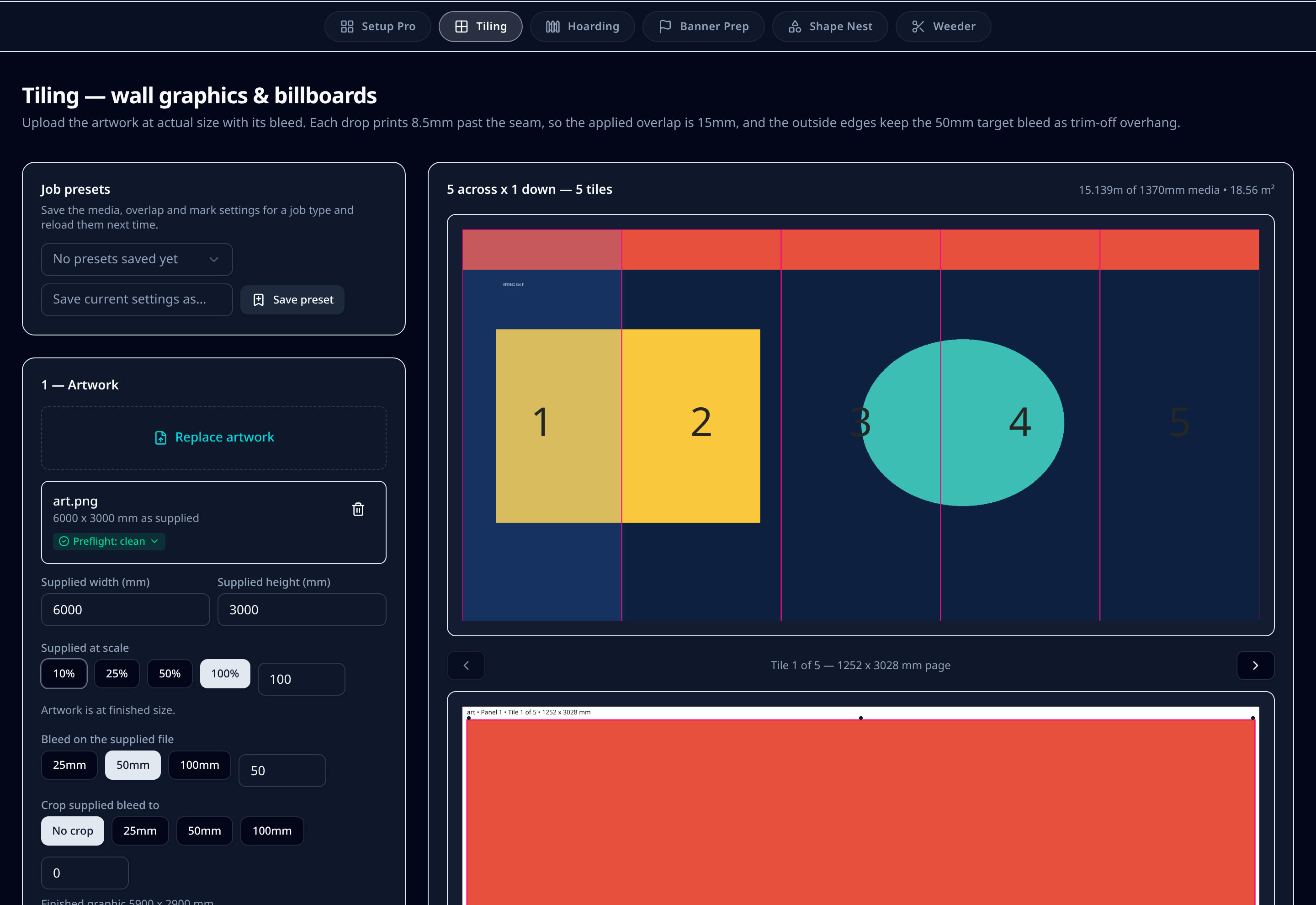
Upload the graphic at actual size — or at 10%, 25% or 50% and let it scale up — and Tiling splits it into drops that fit your roll width. Each drop prints 8.5mm past the seam, giving a 15mm applied overlap, with numbered labels so the installer knows exactly which panel goes where.
7-day trial code, then £99/month per user or £990/year. Artwork is processed in your browser — we never store your files.
What it does on the shop floor
Overlap you can install to
Each drop carries 8.5mm past the seam, so overlapping two drops gives a consistent 15mm bond — enough to hide movement in the substrate without a visible ridge.
Supplied at scale, printed at size
Artwork supplied at 10%, 25% or 50% is scaled to finished size along with its bleed, so a scaled billboard file still tiles correctly.
Numbered info labels
Every tile carries its job name, panel, tile number and size outside the trim, so the wall goes up in order with no guessing.
Panel grids for big walls
Walls that need rows as well as columns are laid out as a grid with matching overlaps in both directions.
Media preserved
Drops are measured against the roll you have loaded, and the module reports the running length and area before you commit the media.
Cut file per tile
Each drop gets its own cut file with register dots, so a roll or flatbed cutter can trim the overlap edge accurately.
Step by step
- 1Upload the wall graphic or billboard artwork and confirm the supplied size, scale and bleed.
- 2Crop the customer's own bleed back if their file arrived with crop marks and a different allowance.
- 3Pick the roll width you are printing on — the drop count, running length and area update immediately.
- 4Review the seam positions across the graphic and step through each numbered tile.
- 5Turn register dots and info labels on or off depending on how the tiles will be trimmed.
- 6Download the print files, cut files and a proof of the whole graphic for sign-off.
Defaults & tolerances
- Seam print past the join
- 8.5mm per drop
- Applied overlap
- 15mm
- Outer bleed
- Keeps the supplied target bleed as trim-off
- Supplied scale options
- 10%, 25%, 50%, 100%
- Media
- Your roll widths, running length reported per job
- Exports
- Print PDF per tile, cut file per tile, proof PDF
Questions printers ask
Why 8.5mm per drop rather than a single 15mm overlap?
Splitting the allowance means both drops carry image past the seam, so a slight misalignment during application still leaves printed graphic under the join instead of a white line.
Can I tile artwork supplied at 25%?
Yes. Set the supplied scale and the artwork and its bleed are scaled to finished size before tiling, which is common for billboard files.
How do installers know the order?
Each tile is labelled outside the trim with the job name, panel, tile number and size, so the run hangs left to right without measuring on site.
Does it handle walls that need more than one row?
Yes. Tall walls are tiled as a grid with the same overlap horizontally and vertically, and every tile is numbered by row and column.