Large-format imposition and step & repeat, without opening Illustrator
Upload artwork at actual size with its bleed, pick the sheet or roll you are printing on, and Setup Pro lays the run out centred on the media with the gutters your cutting method needs. Print file, layered cutter file and proof come out the other side.
7-day trial code, then £99/month per user or £990/year. Artwork is processed in your browser — we never store your files.
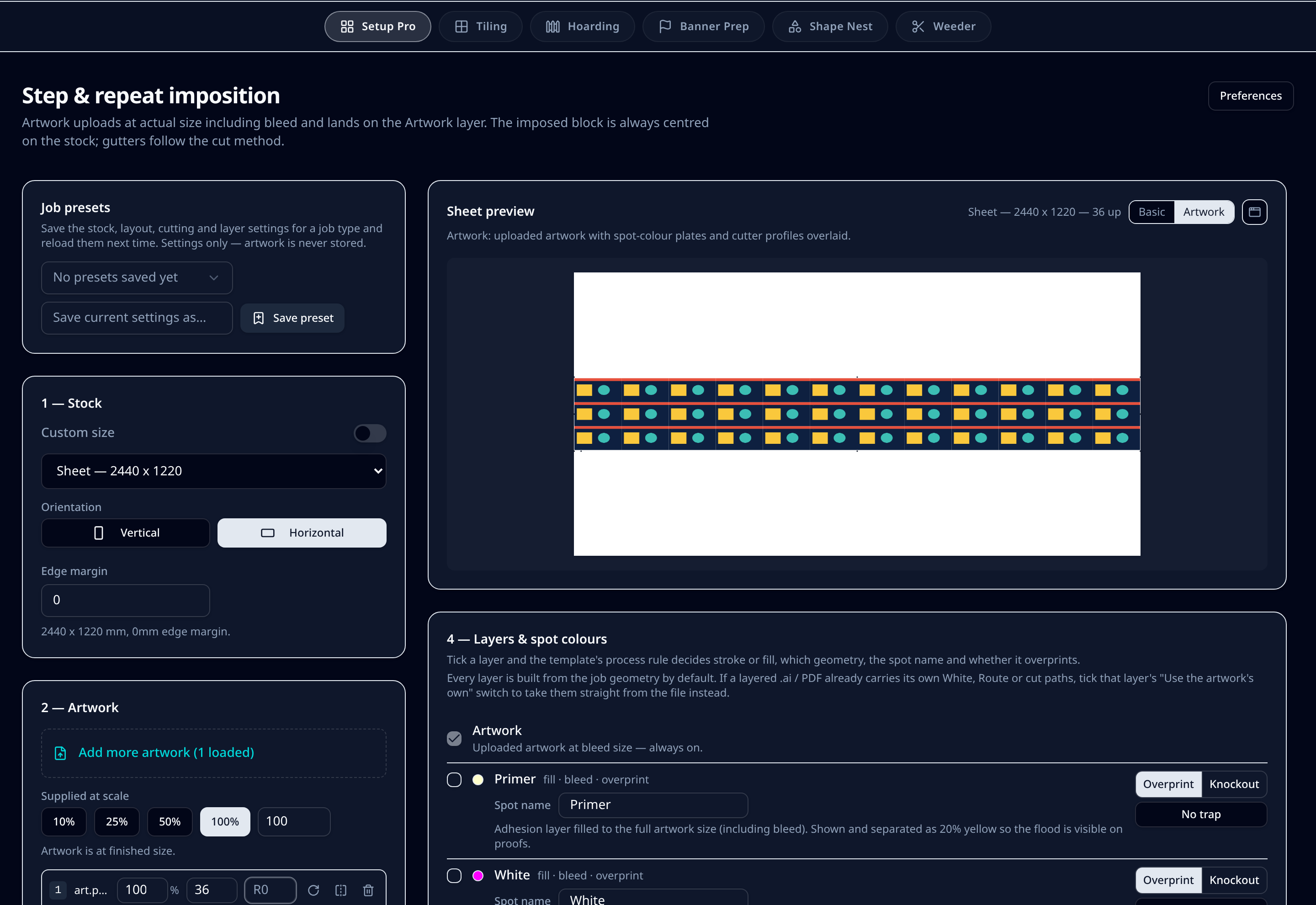
What it does on the shop floor
Always centred on the media
The imposed block is centred on the sheet or roll with even margins all round, so trimming and cutting stay square whatever the quantity. No manual offsets to chase.
Gutters from the cutting method
Knife cutting closes gutters to 0mm, a 2mm router bit opens them to 3mm, 4mm to 6mm, 6mm to 8mm and laser to 2mm. Every value stays overridable per job.
Bleed overhang to win a row
When bleeds are the only thing stopping a run from fitting, butt them at -3mm and drop register dots on the long edge to gain the piece instead of paying for another sheet.
Mixed sizes nested, not guessed
Ganged runs pack mixed pieces and orientations with a MaxRects nester that preserves your chosen stock rather than inventing endless sheets.
Named spot plates
White, varnish and primer are generated at artwork size on their own layers, with editable spot names, overprint or knockout, and a choke so white sits inside the print.
Cut layers that stay separate
Thru-cut, kiss-cut, crease, drill and route each get their own top-level layer in a layered .ai file, so cutting software reads them as separate tools.
Step by step
- 1Upload one or many artworks at actual size, including 3mm bleed. Preflight flags fonts, resolution, transparency and colour space on upload.
- 2Pick the sheet or roll from your stock library, set the orientation and edge margin, or run a custom size.
- 3Enter quantities per artwork, or switch on a ganged run to nest mixed pieces onto the same stock.
- 4Choose the cutting method so gutters and cut layers match the machine that will finish the job.
- 5Tick the layers you need — white, varnish, primer, thru-cut, kiss-cut, crease, drill — and rename spot colours to match your RIP.
- 6Download the print PDF, the layered cutter .ai and a customer proof.
Defaults & tolerances
- Register dots
- 6mm, no stroke, per-edge toggle
- Cutter mark presets
- Zünd, Mimaki, Summa, flatbed corners
- Artwork bleed expected
- 3mm at actual size
- Bleed overhang
- Down to -3mm butted
- Exports
- Print PDF, layered .ai cutter file, proof PDF
- Colour
- Adobe RGB 1998 / FOGRA39 with your own .icc profiles
Questions printers ask
Will 36 pieces at 400 x 200mm fit a 2440 x 1220mm sheet?
Yes. With 3mm bleed the pieces are 406 x 206mm, which needs bleed overhang on the long edge: butt the bleeds at -3mm and turn register dots off on that edge, and the run drops onto one sheet.
Do I need Illustrator or InDesign?
No. Setup Pro runs in the browser and writes the print PDF, the layered .ai cutter file and the proof itself. If you prefer to finish in Illustrator, the .ai keeps live layers and named spot colours.
Can I save a layout for a repeat job?
Yes. Job presets store the stock, layout, cutting and layer settings under a name you choose. Presets keep settings only — artwork is never stored.
Does the imposition handle roll media?
Roll stock uses a running length per job with 10m to 60m presets, so the layout is measured against the media you actually have loaded.