Nesting software for cut letters and shapes
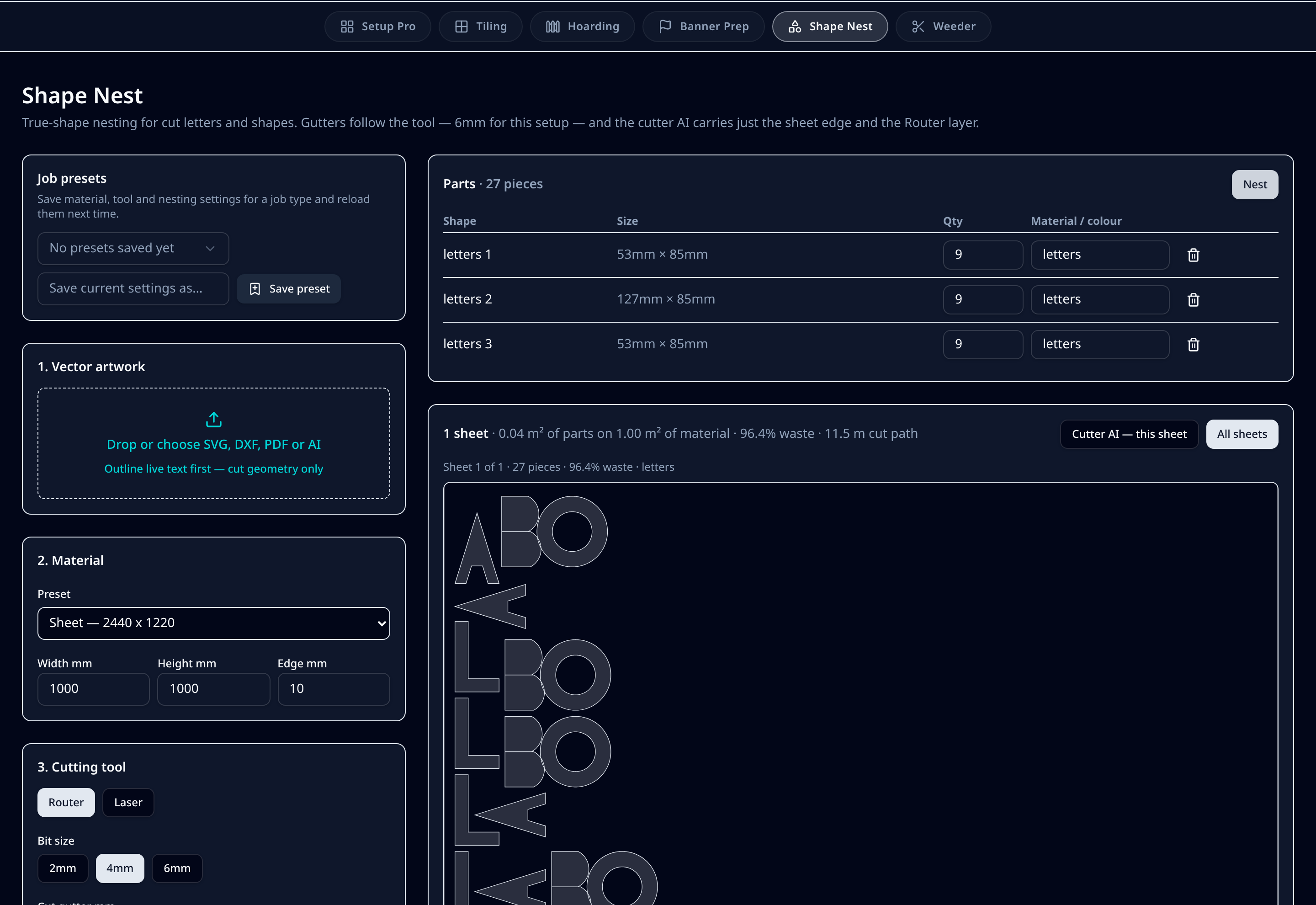
Drop in vector artwork, set the sheet you are cutting from and tell it which tool is in the machine. Shape Nest packs the parts to the true outline rather than the bounding box, spaces them for the bit you are using and writes a cutter file with nothing but the sheet edge and the Route layer.
7-day trial code, then £99/month per user or £990/year. Artwork is processed in your browser — we never store your files.
What it does on the shop floor
True-shape packing
Parts interlock along their real outline, so counters and diagonals are used instead of wasted. Waste and cut-path length are reported for every sheet.
Gutters follow the tool
A 2mm bit spaces parts 3mm apart, 4mm gives 6mm, 6mm gives 8mm and laser drops to 2mm. Override any value when the material dictates something different.
Holding tabs for small parts
Bridges keep counters and small letters attached until the sheet comes off the bed, so nothing lifts into the spindle.
Quantities per part
Set a quantity and a material or colour against each shape. Mixed colours split onto their own sheets rather than fighting over one.
Cutter file stays clean
The exported .ai carries the sheet edge and the Route layer only — no artwork, no stray guides — with engrave on its own layer when you need it.
Multi-sheet runs zipped
Where the run needs more than one sheet, each sheet is written as its own .ai and delivered as a single zip.
Step by step
- 1Outline any live text, then drop the SVG, DXF, PDF or AI onto the module — each closed shape is listed as a part with its size.
- 2Set quantities and a material or colour per part.
- 3Choose the sheet size from your material library, or type a custom width and height with an edge margin.
- 4Pick router or laser and the bit size — gutters and bridging update to match.
- 5Nest, review the waste and cut-path figures, then step through the sheets.
- 6Download the cutter .ai for one sheet or a zip of every sheet in the run.
Defaults & tolerances
- Accepted artwork
- SVG, DXF, PDF, AI (outlined text)
- Router gutters
- 2mm bit → 3mm, 4mm → 6mm, 6mm → 8mm
- Laser gutter
- 2mm
- Sheet edge margin
- 10mm default, editable
- Cutter layers
- Route, Engrave, sheet edge
- Exports
- Cutter .ai per sheet, zipped for multi-sheet runs
Questions printers ask
Why do gutters change with the bit size?
The bit removes material either side of the path, so parts spaced tighter than the bit diameter cut into each other. Scaling the gutter with the tool — 3mm for a 2mm bit, 6mm for 4mm, 8mm for 6mm — keeps both edges clean in one pass.
Can it nest mixed materials in one job?
Parts carry a material or colour, and the nester keeps each one on its own sheets so a run of mixed acrylics or vinyls stays sorted for the bed.
Does the cutter file include the artwork?
No. Routing files carry the sheet edge and the Route layer, with Engrave separated when used. That keeps the file readable for the cutter and avoids anything printing that shouldn't.
What about small counters lifting?
Holding tabs bridge parts and counters to the surrounding sheet at intervals you control, so they stay put until the sheet is off the machine.