Imposition software vs nesting software
They get used interchangeably in sign and display, and they are not the same job. Imposition repeats rectangular artwork in a grid so a run trims and cuts square. Nesting packs irregular shapes to their real outline so a sheet of cut letters costs less material. Here is which one a job actually needs — and where you need both.
7-day trial code, then £99/month per user or £990/year. Artwork is processed in your browser — we never store your files.
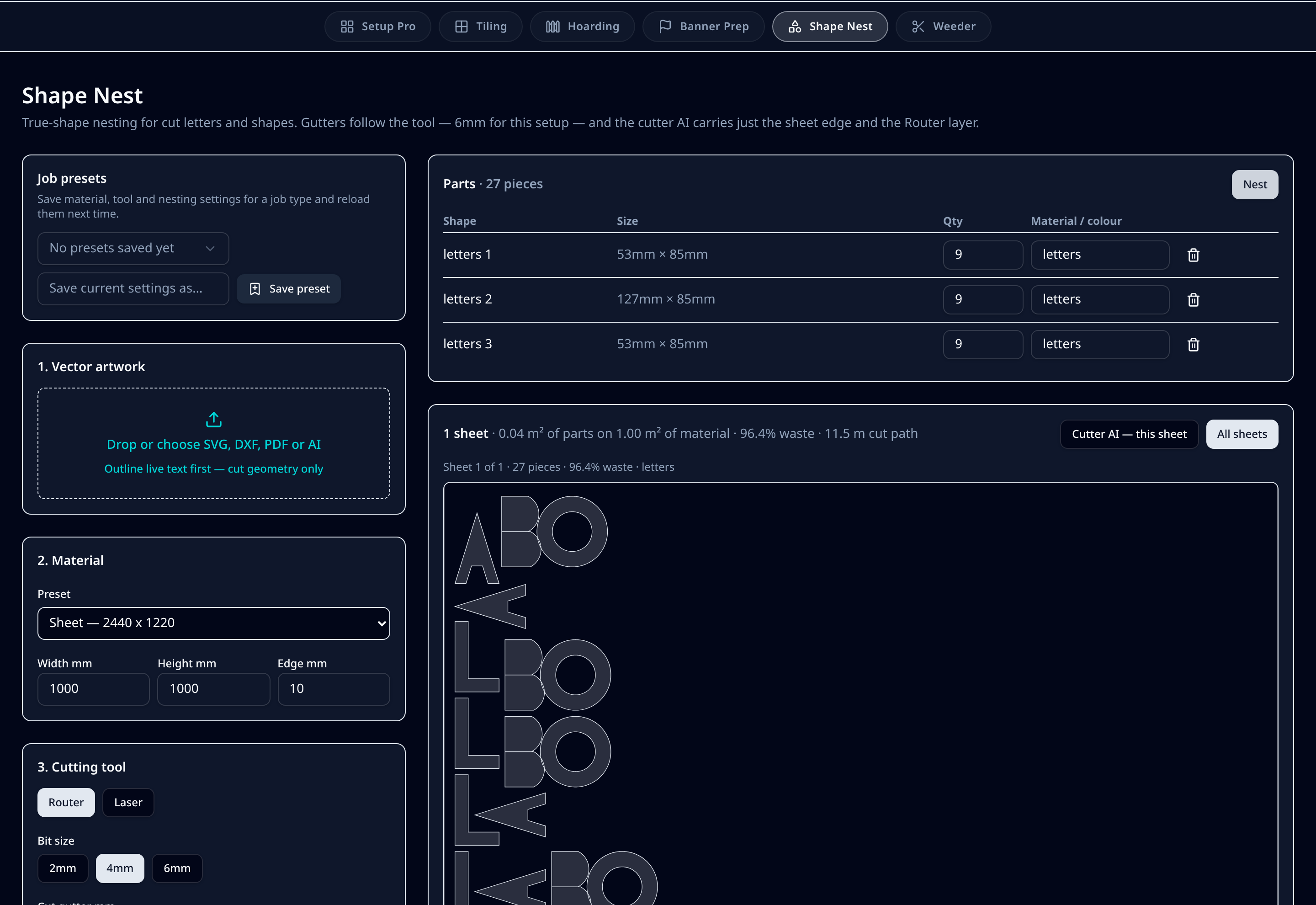
What it does on the shop floor
Imposition: predictable, repeatable layouts
Rectangular items in rows and columns, centred on the media with even margins. Best for stickers, labels, panels, boards and anything the cutter follows row by row.
Nesting: material yield on profiled parts
Letters, logos and profiled panels interlock along their outline, using counters and diagonals instead of wasting them. Waste and cut-path length are reported per sheet.
The cut file differs, not just the layout
Imposed work usually carries thru-cut, kiss-cut, crease and drill layers plus register dots. A nested sheet normally carries the sheet edge and a Route layer, with holding tabs so parts do not move mid-cut.
Gutters are tool-driven either way
Knife 0mm, 2mm bit 3mm, 4mm bit 6mm, 6mm bit 8mm, laser 2mm — overridable per job in both modes, because the material sometimes has the final say.
Bleed behaves differently
Imposition can overhang bleed so pieces butt at minus 3mm and one more row fits. Nesting has no shared bleed to butt — spacing is dictated purely by the tool clearing the next part.
Most sign jobs use both
Full sheets imposed, bespoke ends nested on the final sheet. Running them in one place means one upload, one set of presets and one download.
Step by step
- 1Decide by outline: rectangular repeats impose, profiled parts nest.
- 2Upload artwork at actual size — 3mm bleed for imposed work, clean cut paths for nested work.
- 3Set the sheet or roll, then the tool in the machine so gutters follow it.
- 4Impose the full sheets, and nest the odd bespoke sizes onto the last sheet.
- 5Download the print PDF, layered cutter .ai and proof for each sheet.
Defaults & tolerances
- Use imposition for
- Stickers, labels, rectangular panels, hoarding boards, step and repeat
- Use nesting for
- Cut letters, logos, profiled shapes, router and laser work
- Layout driver
- Imposition: centred grid — Nesting: true-shape packing
- Typical cut layers
- Imposition: thru-cut, kiss-cut, crease, drill — Nesting: sheet edge plus Route
- Gutters
- Both from the cutting tool (0–8mm), overridable per job
- In PSD Pro Suite
- Setup Pro imposes, Shape Nest nests — same account, same presets
Questions printers ask
What is the difference between imposition and nesting?
Imposition repeats known rectangular items — labels, panels, stickers, boards — in a grid on a sheet or roll, so the run trims and cuts square. Nesting packs irregular shapes such as cut letters, logos and profiled panels to their true outline so parts interlock and less material is wasted. Imposition optimises for a predictable, repeatable layout; nesting optimises for material yield.
Which one do I need for cut vinyl and cut letters?
Nesting. Letters and shapes have concave outlines and counters, so packing to the bounding box wastes material. True-shape nesting with gutters driven by your router bit or laser is the right tool, and it writes a cutter file with the sheet edge and Route layer only.
Which one do I need for stickers, labels and rectangular panels?
Imposition. A centred step-and-repeat with bleed overhang, cut-method gutters and register dots gives a layout the cutter can follow row by row, which is faster to weed and easier to check on press.
Can one job need both?
Often, yes. A hoarding or sign run is imposed as full sheets and the odd bespoke widths are nested together on the last sheet so a 600mm end panel does not eat a whole board. PSD Pro Suite runs both from the same upload, so you are not moving files between two applications.
Do gutters work the same way for both?
The principle is the same — the gap has to clear the tool — but the values differ. Knife cutting can close to 0mm, a 2mm router bit needs 3mm, 4mm needs 6mm, 6mm needs 8mm and laser 2mm. Nesting also adds holding tabs so small parts stay put once the sheet is cut.
Is either of these the same as a RIP?
No. Imposition and nesting decide where artwork sits on the media and what the cutter does. A RIP screens and drives the printer. See the prepress vs RIP comparison for where the handover sits.