Hoarding printing, prepped in minutes instead of an afternoon
Built for the sign companies and large-format printers who produce construction hoarding boards week in, week out. Drop in the designer's artwork or a site survey, and get a numbered run of butted panels with print files, layered cutter files and a proof for the main contractor to sign off.
7-day trial code, then £99/month per user or £990/year. Artwork is processed in your browser — we never store your files.
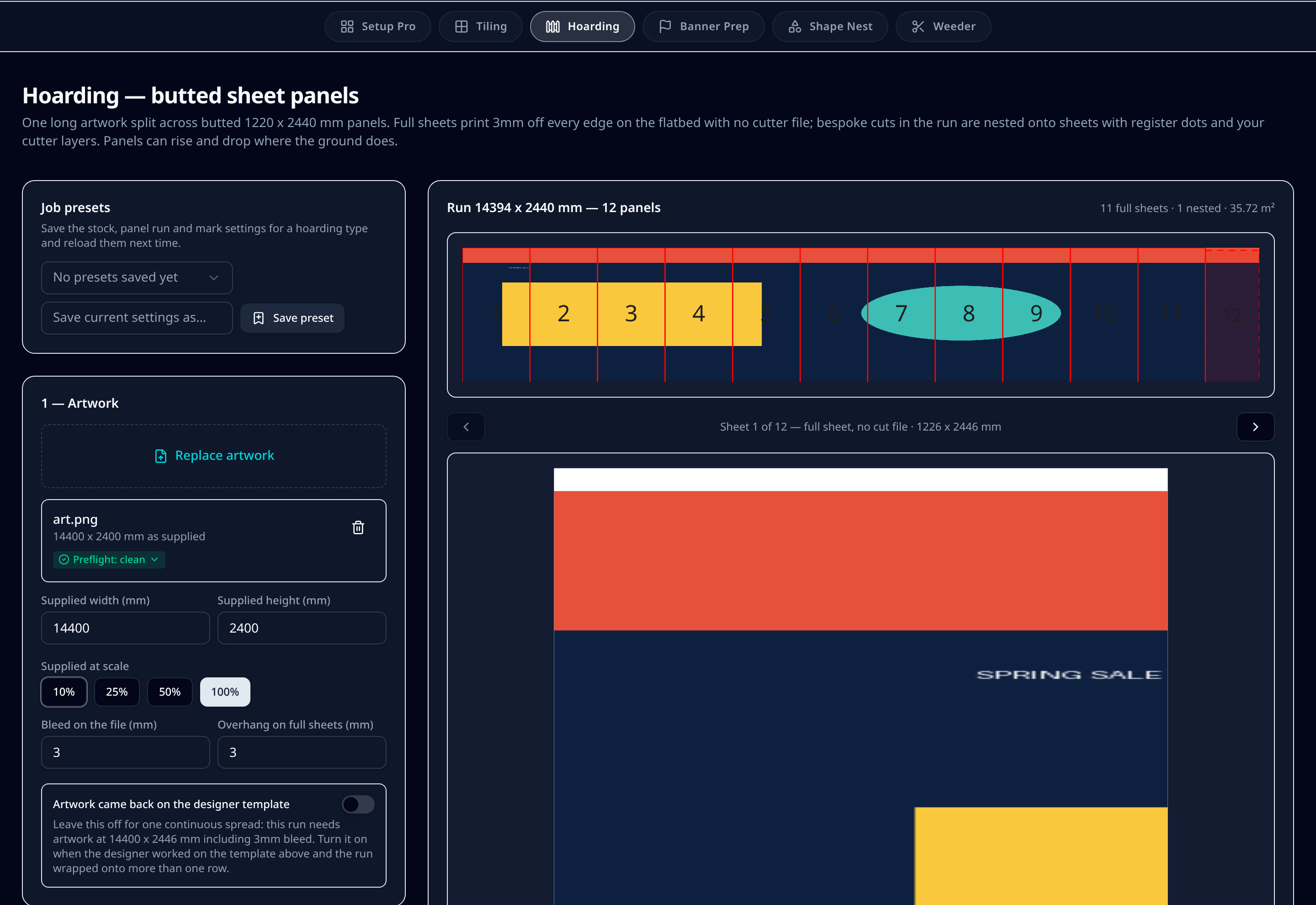
What it does on the shop floor
Designer artwork in, production files out
Take the spread as supplied and split it across your board size, instead of rebuilding the layout by hand in Illustrator every time a run comes in.
Full sheets bleed off the bed
Panels that fill a whole sheet print 3mm off every edge with no cutter file, so the flatbed only cuts the panels that actually need cutting.
Bespoke ends nested on one sheet
The odd widths at gate returns and corners are nested together with register dots and your cutter layers, so you're not wasting a full board on a 600mm end panel.
Sloping sites handled
Cumulative rise and drop per panel follows ground level along the run, matching the ply the site team has already fixed.
Numbered for the fitters
Every panel carries its number and finished size, so the install crew hangs them in order without measuring on site or ringing the studio.
Site surveys straight from a spreadsheet
Paste surveyed widths and heights, including header and kicker rails, and the run is built to those dimensions rather than assumed equal bays.
Step by step
- 1Upload the hoarding artwork at actual size with 3mm bleed, or paste in your surveyed panel sizes.
- 2Pick the board size and set panel widths, plus any rise or drop along the run.
- 3Check the numbered overview — full sheets, bespoke widths and where each join lands.
- 4Nest the bespoke panels and apply your cutter's register dots and cut layers.
- 5Send the proof PDF for contractor sign-off, then download the print and cutter files.
Defaults & tolerances
- Typical board
- 1220 x 2440 mm (8x4) Foamex, ply, Correx or ACM
- Full sheet overhang
- 3mm off every edge, no cut file
- Register dots
- 6mm, on nested bespoke panels only
- Cutter presets
- Zünd, Kongsberg, Mimaki, Summa and custom
- Maximum run
- About 57.7m in one file set
- Exports
- Print PDF, layered cutter .ai, proof PDF, zipped for multi-sheet runs
Questions printers ask
Do I need to change how the designer supplies artwork?
No. Supply at actual size with 3mm bleed and it splits as-is. If your designer works on the panel template you issue, switch that option on and the run is read as laid out rather than as one continuous spread.
Will the joins show on site?
Panels butt at the sheet edge with a 3mm overhang on full sheets, so the artwork runs through the join without a gap or a doubled image.
Does it work with my flatbed cutter?
Cutter files export as layered Illustrator .ai or PDF with separate thru-cut, kiss-cut, crease and drill layers, plus register dot presets for the common flatbeds, so layers don't merge in your cutting software.
Do you keep our clients' artwork?
No. Everything is processed in your browser — only your presets, board sizes and cutter settings are saved to your account.
How much is it?
£99 per user per month, or £990 a year, after a 7-day trial. One seat covers a studio workstation.